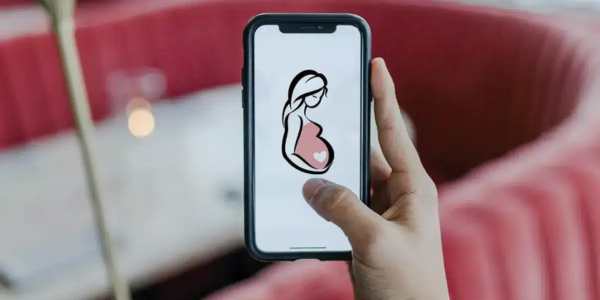
Looking for a pregnancy test app on your phone? Downloading one only takes a few minutes, whether you use an iPhone or an Android device.
These apps can help you track your cycle, log symptoms and answer quick quizzes about early signs of pregnancy. They’re a handy way to organize information before you take a real test or talk to a doctor.
In this guide, you’ll learn step by step how to find and install these apps on the App Store and on Google Play, plus a few tips to choose a safe and reliable option.

What a Pregnancy Test App Can (and Can’t) Do
Before downloading, it’s important to know what to expect. A phone cannot detect pregnancy on its own. Only a urine test or a blood test can confirm it.
What these apps usually offer:
- Symptom quizzes: questions about common early signs, such as a missed period, nausea or tiredness.
- Cycle tracking: a calendar to log your periods and see when one is late.
- Test reminders: alerts telling you the best day to take a home test.
- Pregnancy guides: articles and week-by-week information if the result is positive.
Think of the app as a helpful companion, not as a diagnosis.
How to Download on the App Store (iPhone and iPad)
If you have an iPhone or iPad, all apps are downloaded from the App Store. Here’s how:
- Open the App Store on your device (the blue icon with a white “A”).
- Tap Search at the bottom of the screen.
- Type a term such as “pregnancy test”, “pregnancy quiz” or “period tracker” and tap Search.
- Tap an app to open its page and read the description, screenshots, ratings and reviews.
- Scroll down to App Privacy to see what data the app collects.
- Tap Get (or the price, if it’s a paid app).
- Confirm with Face ID, Touch ID or your Apple Account password.
- Wait for the download to finish and tap Open. The app will also appear on your Home Screen.
💡 Tip: if the download doesn’t start, check your internet connection and make sure you have enough free storage.
How to Download on Google Play (Android)
On Android phones, such as Samsung, Motorola or Xiaomi, apps are downloaded from the Google Play Store. Follow these steps:
- Open the Google Play Store (the colorful triangle icon).
- Tap the search bar at the top of the screen.
- Type “pregnancy test”, “pregnancy quiz” or “period tracker”.
- Tap an app to see its details, rating, number of downloads and reviews.
- Check the Data safety section to understand how your information is used.
- Tap Install.
- When the installation is complete, tap Open. You’ll also find the app in your app drawer.
💡 Tip: you need to be signed in with a Google account to download apps. If you’re asked to sign in, use your Gmail address.
How to Choose a Reliable App
There are many options in both stores, so it’s worth taking a moment to pick a good one. Before installing, look at:
- Ratings and reviews: apps with a high rating and many recent reviews tend to be more trustworthy.
- Developer: tap the developer’s name to see who made the app and what else they’ve published.
- Privacy: health information is sensitive. Read the App Privacy (App Store) or Data safety (Google Play) section before you install.
- Price: many apps are free but offer in-app purchases or subscriptions. Check the details on the app page.
- Last update: apps that are updated regularly usually work better and fix problems faster.
- Permissions: be careful with apps that ask for access they don’t need, such as your contacts or microphone.
What to Do After Using the App
If the app suggests you might be pregnant, or your period is late, the next step is to take a home pregnancy test. For the most accurate result, wait until the first day of your missed period and use your first urine of the morning.
If the result is positive, schedule an appointment with a doctor. A blood test can confirm the pregnancy, and you can start prenatal care as early as possible.
Frequently Asked Questions
Are pregnancy test apps free?
Most of them are free to download. Some offer extra features through in-app purchases or subscriptions, which are always shown on the app page.
Can an app tell me for sure if I’m pregnant?
No. Apps can help you notice signs and track your cycle, but only a urine or blood test can confirm a pregnancy.
Is my data safe in these apps?
It depends on the app. Always read the privacy section in the store and the app’s privacy policy before entering personal or health information.
Final Thoughts
Downloading a pregnancy test app is quick and simple on both the App Store and Google Play. Just search, check the reviews and privacy details, and install the one that best fits your needs.
Use the app as a guide to understand your body and organize your information, and remember: when in doubt, take a test and talk to a healthcare professional.