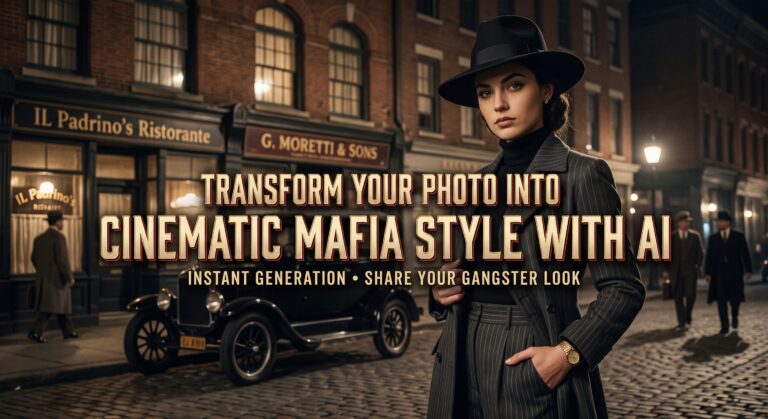
Ever wondered what you’d look like as the boss in a classic gangster movie? Sharp pinstripe suit, fedora hat, dramatic lighting and that unmistakable old Hollywood vibe.
Thanks to artificial intelligence, you can create this look in just a few minutes, right from your phone.
You don’t need editing skills or expensive software. With free apps like ChatGPT and Google Gemini, you simply upload a photo, describe the style and let the AI do the rest.
In this guide, you’ll learn step by step how to turn your photo into a movie gangster portrait, plus ready-to-copy prompts and tips for a truly cinematic result.


What Is the Movie Gangster Style?
The gangster look is inspired by classic crime films set in the 1920s to 1950s. It usually includes:
- Elegant outfits: pinstripe suits, vests, ties, fedora hats and long coats.
- Dramatic lighting: strong shadows and a moody, mysterious atmosphere.
- Vintage colors: black and white or warm, faded film tones.
- Classic settings: smoky jazz clubs, old cars, city streets at night or a luxurious office.
The result is a portrait that looks like a scene from an old Hollywood film, perfect for a fun profile picture or a surprise for friends.
Option 1: Create Your Gangster Portrait with ChatGPT
ChatGPT, from OpenAI, can transform your photos directly in the chat. Download the official app here:
- Open the app and sign in to your account.
- Tap the “+” button next to the message box and choose a clear photo of yourself.
- Paste one of the prompts below, for example: “Turn this photo into a 1940s gangster movie portrait”.
- Send it and wait a few moments while the image is created.
- Tap the image to open it and save it to your phone.
Option 2: Create Your Gangster Portrait with Google Gemini
Google Gemini is Google’s AI assistant, and it can also edit and transform your pictures. Download the official app here:
- Open the Gemini app and sign in with your Google account.
- Tap the “+” or image icon and select your photo.
- Describe the gangster look you want, using one of the prompts below.
- Send it and wait for the new image to appear.
- Open the result and tap the download icon to save it.
💡 Tip: both apps have free plans, but the number of images you can create per day may be limited.
Ready-to-Copy Gangster Prompts
Upload your photo and send one of these prompts. Feel free to mix and adjust them:
- Classic black and white: “Turn this photo into a black and white 1940s gangster movie portrait, wearing a pinstripe suit and a fedora hat, with dramatic film noir lighting. Keep my face the same.”
- Jazz club boss: “Show me as a 1930s mob boss sitting in a smoky jazz club, wearing an elegant three-piece suit, warm vintage film colors, cinematic lighting.”
- Night city street: “Place me on a rainy city street at night in the 1950s, wearing a long trench coat and a fedora, next to a classic black car, movie still style.”
- Glamorous lady boss: “Transform this photo into a 1940s glamorous crime movie character, with a vintage evening dress, pearl necklace, red lipstick and dramatic shadows.”
- Movie poster: “Turn this photo into a vintage crime movie poster with my portrait in the center, bold retro title text and a 1940s city skyline in the background.”
Tips for a Truly Cinematic Result
- Choose the right photo: a clear, well-lit picture with your face looking at the camera works best.
- Ask to keep your face: add “keep my face and features the same” so the result still looks like you.
- Describe the era: mentioning the decade (1920s, 1940s, 1950s) helps the AI get the clothes and mood right.
- Refine it: if something looks off, reply with what to change, like “make the lighting darker” or “change the hat to gray”.
- Add the final touch in Canva: add a title, a frame or text to turn your portrait into a movie-style poster.
Have Fun, but Be Responsible
This trend is all about fun and creativity. To keep it that way:
- Only transform photos of other people with their permission.
- Don’t use AI images to impersonate someone or to mislead others.
- Think twice before sharing photos of children online.
- Check each app’s privacy settings to understand how your photos are used.
Frequently Asked Questions
Is it free to create a gangster photo with AI?
Yes. ChatGPT and Google Gemini both have free plans that let you transform photos, although there may be a daily limit on how many images you can create.
Will the result still look like me?
Usually, yes, especially if you use a clear photo and ask the AI to keep your face the same. If some details change, just ask it to try again.
Can I make a group or couple gangster photo?
Yes. Upload a photo with everyone in it and describe the scene, for example: “Turn this group photo into a 1930s gangster family portrait in an elegant mansion.”
Final Thoughts
Turning your photo into a classic movie gangster portrait is quick, fun and free to start. With ChatGPT or Google Gemini, all you need is a good photo and the right prompt.
Try different eras, outfits and settings, save your favorite versions and surprise your friends with your new cinematic look.